Quick Answer
Files go missing in organizations for one simple reason: they move through the organization without any system recording where they are. A file goes from desk to desk with no accountability, no timestamp, and no automated alert when it is overdue. Manual registers do not scale. Spreadsheets are never updated in real-time. The result: missing critical files, regulatory fines, legal liability, and delayed operations. The solution is RFID-based file tracking that automatically records every movement, creating accountability and visibility that makes file loss nearly impossible.
What This Article Covers
- Why files still go missing even in organizations with digital systems.
- The financial impact of missing files: fines, legal liability, and lost productivity.
- Regulatory compliance risks and penalties for organizations that cannot produce records.
- The root causes of file loss: manual tracking, inefficient processes, and no accountability.
- How RFID file tracking prevents file loss and creates a tamper-proof audit trail.
- How to choose a file tracking system that fits your organization's size and complexity.
Table of Contents
- The Paradox: Digital Organizations, Lost Files
- The Financial Impact of Missing Files
- Regulatory Compliance Risks and Hefty Fines
- Root Causes: Why Files Get Lost
- Why Manual Tracking Fails at Scale
- The Accountability Gap: Who Took It and When?
- How RFID File Tracking Prevents File Loss
- GOBO's Approach to File Tracking: Complete Visibility
- Conclusion
The Paradox: Digital Organizations, Lost Files
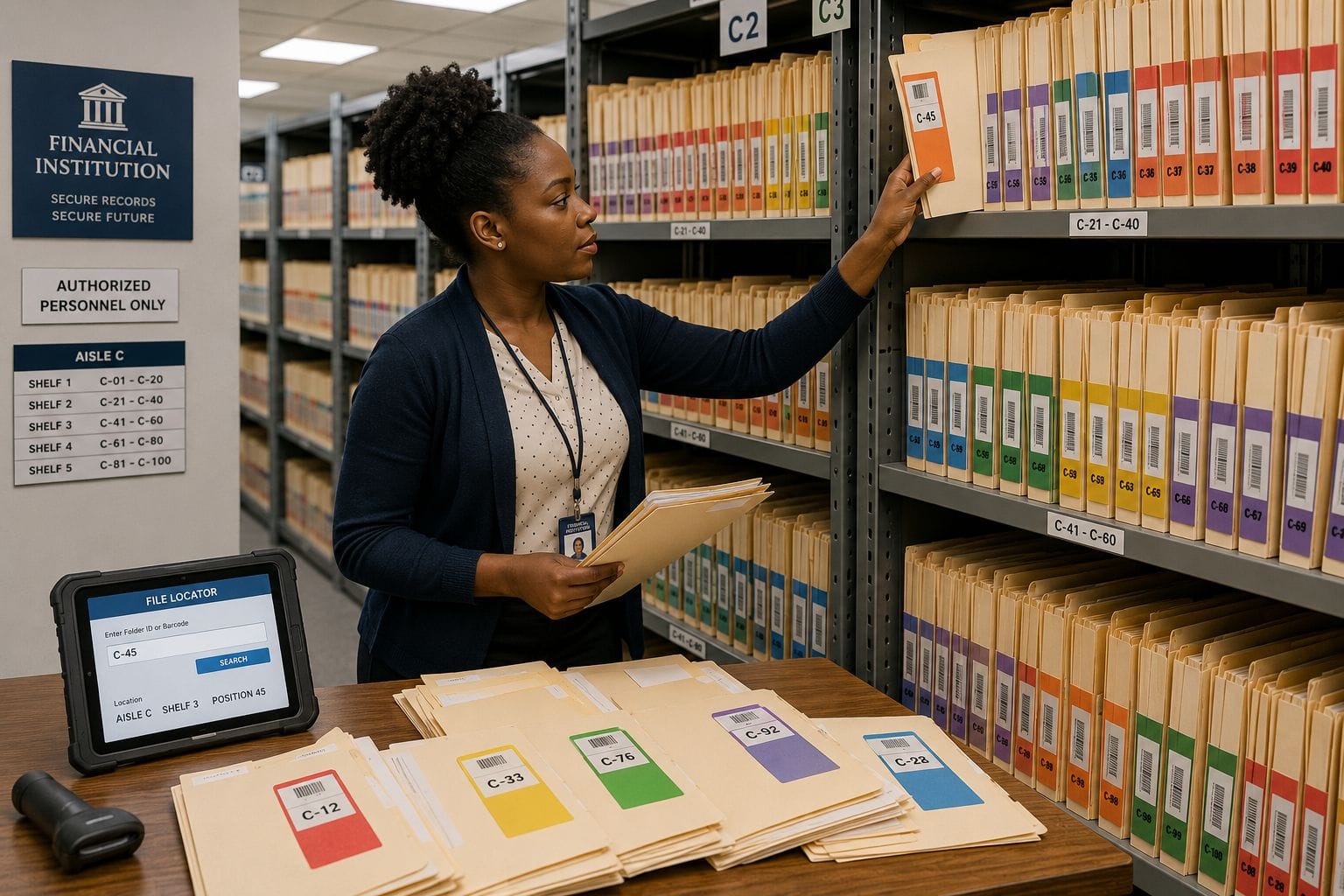
Your organization has digitized its data. You have case management software, ERP systems, email, cloud storage. Bank-grade security for digital assets. Yet files still go missing.
A critical court file vanishes from the filing cabinet. A patient's medical history cannot be found. A loan application with the original signature is lost somewhere in the stacks. An evidence file for a police investigation is misplaced. A compliance document for an audit cannot be produced.
This is not failure of your staff. This is a failure of systems. Physical files simply move through the organization without any mechanism to track them - unlike digital files, which leave a complete audit trail of who accessed them and when.
The result: organizations lose files regularly, incur fines, damage their reputation, and face legal liability - all while sitting on sophisticated digital infrastructure. The missing piece is not data. It is tracking the physical folders that still carry legal weight and evidentiary value.
The Financial Impact of Missing Files
When a file goes missing, the costs accumulate quickly:
Direct Search Costs
Finding a missing file requires staff time - sometimes hours of searching, checking storage areas, contacting other departments, and dead ends. For organizations with thousands of files, even a 2% loss rate means hundreds of files going missing every year. At ₹500 per hour of staff time, searching for a single file can cost ₹2,000–₹5,000.
Operational Delays
A missing file delays service delivery. A client cannot get their loan processed. A citizen cannot get their permit issued. A patient cannot have their procedure scheduled. A court case gets postponed. These delays damage reputation and erode customer trust. For service-oriented organizations, each missing file translates to lost revenue and operational friction.
Regulatory Fines and Penalties
This is the big cost. Most regulated industries have strict requirements to produce records when requested. If you cannot produce a file during an audit, inspection, or legal proceeding, regulatory bodies impose fines. These fines are not small - they can range from ₹50,000 to ₹1 crore or more, depending on the severity and the regulator.
Legal Liability
If a file is lost and that loss causes financial or legal harm, the organization can be held liable. A missing evidence file can result in a criminal case being dismissed. A lost patient record can lead to medical malpractice claims. A missing contract can void a transaction. The liability can dwarf the original value of the file.
Loss of Historical Records
Some files have value not because of immediate operations but because of historical and evidentiary importance. A lost audit file makes future audits more difficult. A lost investigation record weakens institutional knowledge. A lost transaction record breaks the chain of custody.
Regulatory Compliance Risks and Hefty Fines
Different regulatory bodies have different requirements, but they all expect organizations to be able to produce records on demand. Here is how file loss creates liability:
Government Audits (CAG, Comptroller and Auditor General)
Government departments are audited by the CAG, which checks if records are maintained properly and can be produced for inspection. If files are missing, the audit report flags it as a compliance violation. The department then faces recommendations, public scrutiny, and follow-up audits. For serious violations, financial penalties can be imposed, and officials may face disciplinary action.
Banking and Finance (RBI, SEBI)
Banks must maintain KYC files, loan documentation, and transaction records for a minimum period (usually 7–10 years). If RBI inspectors find missing files or incomplete records, they impose fines ranging from ₹1 lakh to ₹10 crores depending on severity. SEBI has similar requirements for brokerages and financial institutions.
Healthcare (NMC, State Medical Council)
Hospitals and clinics must maintain complete patient records. If medical records are lost or incomplete, the organization can be penalized for violating patient rights and quality standards. Fines range from ₹1 lakh to ₹50 lakhs. If a lost record contributes to poor patient outcomes, liability claims can follow.
Courts and Legal Systems
Court files are subject to strict handling requirements. If a file is lost, the court can impose contempt charges, fine the responsible organization, and delay justice for litigants. For law firms, a lost client file creates malpractice liability.
Other Regulated Industries
Insurance companies, educational institutions, tax authorities, and police departments all have stringent record-keeping requirements. Non-compliance with any of these can result in penalties, license suspension, or legal action.
Bottom line: regulatory fines for missing or lost files are no longer optional costs - they are automatic consequences if you cannot demonstrate proper file management.
Root Causes: Why Files Get Lost
Files do not vanish randomly. They get lost because of predictable, systemic problems:
Manual Tracking Using Registers or Spreadsheets
Most organizations track files using physical registers (a logbook where staff write down who took a file) or spreadsheets. The problems are obvious: entries are incomplete, updates are delayed or forgotten, nobody updates it in real-time, discrepancies between the register and actual file location go unnoticed, and historical searches require manual scanning of old entries. A register or spreadsheet is fundamentally incompatible with high file volumes.
Large File Volumes That Cannot Be Manually Tracked
A small organization with 100 active files can maintain them manually. A district court with 50,000 active cases, each requiring multiple files, cannot. A government ministry with hundreds of thousands of documents cannot. A hospital with patient records spanning decades cannot. As file volume grows, manual tracking becomes impossible, and files begin to slip through the cracks.
Inefficient Processes and Multiple Handoffs
A typical file may travel through 5–10 different people during its lifetime in the organization. Each handoff is an opportunity for confusion: "I thought the section officer had it." "Didn't the clerk return it?" "Is it in the archive yet?" With no system recording transfers, files get lost in the gaps between departments or between individuals.
No Accountability: Who Took It?
Without a tracking system, nobody knows who currently has a file or when they took it. A file can sit on someone's desk for months with no one knowing. If someone leaves the organization, their files may remain in their desk drawer. If a file is lost, you have no way to trace back to the person who had it last.
No Automated Alerts for Overdue Returns
Most file types have a standard custody period: a file should be returned to the main registry after 7 days, or archived after 30 days. But with manual tracking, you do not know a file is overdue until someone asks "where is that file?" - by which time it has been missing for weeks or months. Automated alerts would flag a file the moment it exceeds its hold period.
Storage Areas Never Physically Audited
File cabinets and storage areas are not regularly audited to check if files are actually there. When you do conduct an audit (usually prompted by a missing file complaint), you discover that files logged as "in storage" have actually gone missing. By then, it is too late.
Staff Turnover and Lost Institutional Knowledge
When a section officer or experienced staff member leaves, informal knowledge about where files are stored or who took them leaves with them. New staff do not know the history and have to start from scratch. This increases the probability that old files will be overlooked or lost.
Why Manual Tracking Fails at Scale
A register or spreadsheet works fine for a handful of files. But consider the scale problem:
A district office might have 10,000 active case files. Even if you assume 95% accuracy in manual tracking, 500 files are unaccounted for at any time. A 1,000-bed hospital has 100,000+ patient files. A 2% missing rate means 2,000 files that are lost or misplaced. A government ministry with a million historical documents and no systematic tracking likely has hundreds of thousands of missing or lost documents.
Manual tracking does not scale. Beyond a few hundred files, the system breaks.
The problem is not the quality of your staff. The problem is that human memory and manual records are not designed to handle thousands of objects moving through an organization simultaneously. You need a system.
The Accountability Gap: Who Took It and When?
Here is the fundamental question that manual tracking cannot answer reliably: Who has this file right now, and since when?
With manual tracking, the answer might be:
- "I think the section officer took it on Tuesday." (But you are not sure, and there is no record.)
- "The clerk was supposed to return it last week, but I don't know if they did." (No follow-up system.)
- "It should be in the archive, but nobody has checked." (No verification.)
- "I have no idea. The person who knew left the organization." (Lost knowledge.)
Without accountability and real-time visibility, files are routinely misplaced, overlooked, and lost.
The solution requires three things: (1) automatic recording of every custody transfer, (2) a timestamp for every movement, (3) an automated alert system that escalates overdue files. This is what a file tracking system provides.
How RFID File Tracking Prevents File Loss
RFID (Radio Frequency Identification) file tracking works by attaching a small RFID tag to each file folder. The tag contains a unique identifier. When someone picks up a file near an RFID reader, the reader automatically logs:
- File number and unique ID
- Person who took it (through their RFID access card or manual login)
- Time and date of the pickup
- Location (which reader detected the file)
- Destination (for fixed readers at checkout points)
This happens automatically - no manual entry, no register, no spreadsheet. The same process happens when a file is returned: the system automatically logs the return, updates the file status from "checked out" to "in storage," and clears any alerts.
Real-Time Visibility
Any authorized staff member can open the file tracking system and search for any file by number. The system displays: current location, person who has it, how long they have had it, and when it is due to return. This answer is always current - updated in real-time as files move.
Automatic Alerts for Overdue Files
If a file exceeds its hold period, the system automatically sends an alert to the person who has it. If there is still no action after a further period, it escalates to their supervisor. The file does not silently disappear on someone's desk - the system ensures it gets attention.
Audit Trail and Compliance
Every file movement is recorded permanently and cannot be edited or deleted. This creates a tamper-proof chain of custody. If a regulator asks "Can you show me the history of this file?" you can produce a complete, credible, timestamped record of every person who had it and when. This is the audit trail that regulatory bodies expect.
Physical Audits Made Easy
Using a handheld RFID scanner, you can audit a storage room with hundreds of files in 30 minutes. Scan the area, and the system tells you which files are present and which are missing. This makes regular audits feasible and catches file loss quickly.
GOBO's Approach to File Tracking: Complete Visibility
The GOBO File and Document Tracking System is purpose-built for organizations that need complete visibility and accountability for physical files. It brings bank-grade traceability to file circulation:
Automatic Movement Recording
RFID readers at checkout points, return counters, and storage areas automatically record file movements. No staff need to remember to log anything. The system updates instantly.
Role-Based Access Control
Different staff have different levels of visibility. A clerk can see files in their section. A section officer can see all files in their section. Administrators have full visibility. Sensitive files are visible only to authorized users.
Customizable Hold Periods and Alerts
Define how long different file types can be checked out (e.g., active case files: 7 days, archives: 30 days). The system automatically alerts when files are overdue and escalates if not returned.
Integration with Existing Systems
The GOBO system does not replace your case management or ERP software. It integrates with your existing systems and works alongside them. It adds the critical layer: real-time physical file location.
Works with RFID, Barcode, or Manual Entry
You can start with barcode scanning and upgrade to RFID readers as you expand. The system is flexible enough to match your organization's current infrastructure and budget.
Compliance-Ready Reports
The GOBO system generates reports required by auditors: file movement logs, custody chains, missing file reports, overdue file reports, and audit trail summaries. These reports prove to regulators that you have proper controls in place.
Stop Losing Files. Start Tracking Them.
The GOBO File and Document Tracking System is ready for deployment in government departments, courts, hospitals, banks, and law firms. For a consultation or pilot proposal, contact the GOBO team.
Conclusion
File loss is not inevitable. It is not a result of bad staff or negligent management. It is a systematic failure - the result of trying to track thousands of physical objects using tools designed for dozens.
Your organization has already invested in digital systems, security infrastructure, and compliance controls. The only thing missing is a way to track the physical files that still carry legal and operational weight.
Regulatory bodies expect you to be able to produce files on demand. Clients and citizens expect quick access to their information. Your staff need to know where files are so they can do their jobs. Auditors expect to see a tamper-proof chain of custody.
A file tracking system delivers all of this. It prevents file loss, reduces regulatory risk, cuts search time, and creates the accountability that manual tracking can never achieve. The technology is proven. The cost is justified. The implementation is straightforward.
The only question is: how much longer can you afford to lose files? Learn how GOBO File Tracking solves the problem - or reach out for a pilot discussion with a GOBO implementation specialist.